How to Digitize Paper Timesheets for Field Crews

Digitizing paper timesheets means turning handwritten or printed time records into digital records that can be checked, searched and used in a documented payroll-preparation process. Scanning preserves a copy; extraction software may help transcribe fields, but people still need to verify the results.
What tools do you need to digitize paper timesheets for field crews?
A practical workflow separates capture, transcription or extraction, review, and export. Check how each step works with your workplace’s connectivity and recordkeeping process.
Capture: phone cameras and scanners
A supervisor or office administrator may photograph completed forms if the business permits it. Explain the process, protect employee data and train the people responsible for capture and review.

For higher volume or multi-page timesheets, a flatbed or portable document scanner produces cleaner images. Scanners reduce glare and shadow, which matters when AI reads handwriting. Either method works. The phone is faster in the field. The scanner is better for batch processing back at the office.
Extraction: AI handwriting recognition
OCR and AI extraction tools may help transcribe printed or handwritten fields. Their results depend on the image and the tool; compare the output with the source rather than assuming context resolves unclear entries.
Test difficult handwriting, unusual layouts and inconsistent dates. Review every name, date, start and finish time, break and total before using the extracted records.
Export and integration
Check which file formats your extraction tool produces and which formats your payroll provider accepts. A CSV or Excel file is an export, not proof of a direct integration with ADP, Gusto, QuickBooks or any other provider. Test sample records and reconcile the totals.
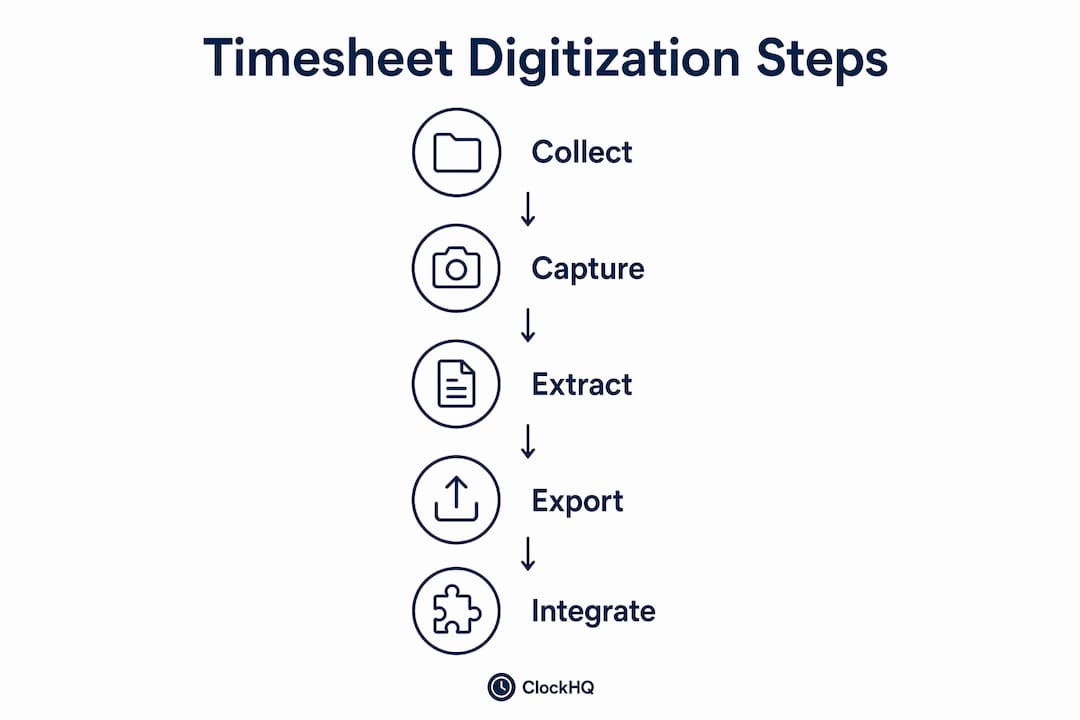
Choose a capture process that fits the site’s connectivity. If offline capture matters, verify that the chosen tool stores records safely and synchronises them as documented. ClockHQ requires an internet connection and does not provide offline syncing.
Before committing to an extraction tool, test representative sheets, including difficult handwriting. Measure the time needed for capture, extraction and full review; check errors against the originals before deciding whether the process helps.
How to convert paper timesheets into digital data: a step-by-step process
This workflow applies to construction crews, maintenance teams, and any field operation where paper is still the primary time record.
-
Prepare your team. Tell office staff and field supervisors what changes and what stays the same. Crews keep using paper. The change happens at the office level. This framing removes the biggest adoption barrier.
-
Collect timesheets on schedule. Set a fixed collection point: end of shift, end of day, or end of the week. Consistency matters because batch processing is faster and more accurate than processing one sheet at a time.
-
Photograph or scan each sheet. Use clear lighting, keep the page flat and check that names, dates and times are legible. Image quality and extraction accuracy must be tested with the actual forms and software.
-
Upload images to your extraction tool using its documented process. Processing time varies with document quality, file size, software and review needs; do not assume a fixed speed per sheet.
-
Review the extracted data. AI extraction is accurate but not perfect. Spot-check totals against the original sheets. Flag any row where hours look unusual. Most errors are obvious: a 24-hour shift or a missing employee name.
-
Export only in a format your payroll provider documents as supported. Test field mapping and totals, resolve rejected records and review the result before processing pay. A spreadsheet export is not a direct software integration.
-
Retain source records according to the rules and contract requirements that apply to the work. Do not assume scanning permits disposal of paper originals, or that paper is always required. For US federally funded construction, check current Department of Labor guidance and the contracting agency’s requirements.
Pro Tip: Label each scanned image with the crew name and date before uploading. This makes it easy to trace any extraction error back to the source sheet without sorting through a folder of unnamed files.
The table below maps each step to the responsible party and the tool involved.
| Step | Responsible party | Tool |
|---|---|---|
| Collect paper timesheets | Field supervisor | Paper form |
| Photograph or scan sheets | Office admin or supervisor | Phone camera or scanner |
| Upload and extract data | Office admin | AI extraction software |
| Review and verify | Payroll manager | Spreadsheet |
| Export to payroll | Payroll manager | ADP, Gusto, or QuickBooks |
| File originals | Office admin | Physical file or binder |
What are the common challenges when digitizing paper timesheets?
Potential issues include unclear handwriting, damaged sheets, connectivity, staff training and mismatched export formats. Test these during a small pilot.
Poor handwriting and damaged sheets are the most common extraction problems. Wet, torn, or faded timesheets produce low-quality images that trip up even strong AI tools. The fix is simple: provide crews with waterproof paper or plastic-sleeve clipboards. Protecting the sheet in the field costs less than correcting extraction errors in the office.
Ask staff about practical concerns, explain what information is recorded and show how errors can be corrected. Do not assume that keeping paper forms removes every training or privacy concern.
For sites with limited connectivity, confirm how your chosen capture tool stores records, backs them up and handles interrupted uploads. Use an approved contingency process and protect employee information. ClockHQ does not offer offline record syncing.
Compare AI-assisted extraction with manual transcription using the same source forms. Measure errors and total review time. Neither approach removes the need to check the records.
“The goal is not to replace human judgment. It is to remove the repetitive, error-prone parts of the process so managers can focus on exceptions, not every row.”
Check the current import specification with your payroll provider. Field names, date formats and validation rules can change, so reconcile each transfer instead of assuming a one-time mapping guarantees future compatibility.
What measurable improvements does digital timesheet conversion deliver?
Measure any improvement with a small pilot. Record the time spent collecting sheets, transcribing fields, checking results and correcting errors before and after the change. Savings depend on the forms, software, handwriting and review process; no percentage reduction is established here.
Digital records may make review and retrieval easier, but inaccurate source data and extraction errors can still occur. Keep a clear process for questions, corrections and checking totals.
Searchable digital records can help with retrieval, but digitisation alone does not satisfy recordkeeping obligations. Confirm the required information, retention period, access and format for the applicable jurisdiction and contract.
Reporting depends on the data captured and the functions of the chosen software. Do not assume that scanning timesheets adds job costing, live reporting or budget analysis. ClockHQ provides staff time records and payroll-preparation summaries or exports.
As a team grows, review the time needed to collect, check and store records. More rows alone do not establish that a workflow scales or that payroll processing becomes automatic.
Key takeaways
A practical digitisation process preserves readable source records, checks extracted data and tests the payroll handoff. AI extraction is optional and must be reviewed; results vary by business.
| Point | Details |
|---|---|
| Preserve field habits | Crews keep using paper forms; the digital conversion happens at the office level. |
| Use AI extraction | Extraction may help with transcription; compare the output with the original and correct errors. |
| Batch process for speed | Processing speed varies; include review and correction time when testing the workflow. |
| Keep paper for compliance | Confirm retention and format requirements with current official guidance and the contracting agency. A paper original or scanned copy alone does not establish compliance. |
| Verify before exporting | Spot-check AI output against originals before importing into payroll to catch outliers. |
For US federally funded construction, consult the Department of Labor’s Davis-Bacon compliance guidance and the contracting agency. Requirements depend on the work and the records involved.
The part most managers get wrong about this transition
When workers can continue using paper, an office-based digitization process may reduce changes to their daily routine. Whether that fits depends on the tools and the employer’s process.
AI extraction can make mistakes. Review extracted hours against the source documents, correct discrepancies, and retain the originals when required by the applicable rules.
Any time savings or accuracy improvements depend on the forms, handwriting, software and review process. Measure results in a small trial before making claims about expected savings.
Clockhq makes field timesheet management straightforward
ClockHQ offers an alternative for recording future shifts directly in a browser. It does not convert historical paper timesheets.
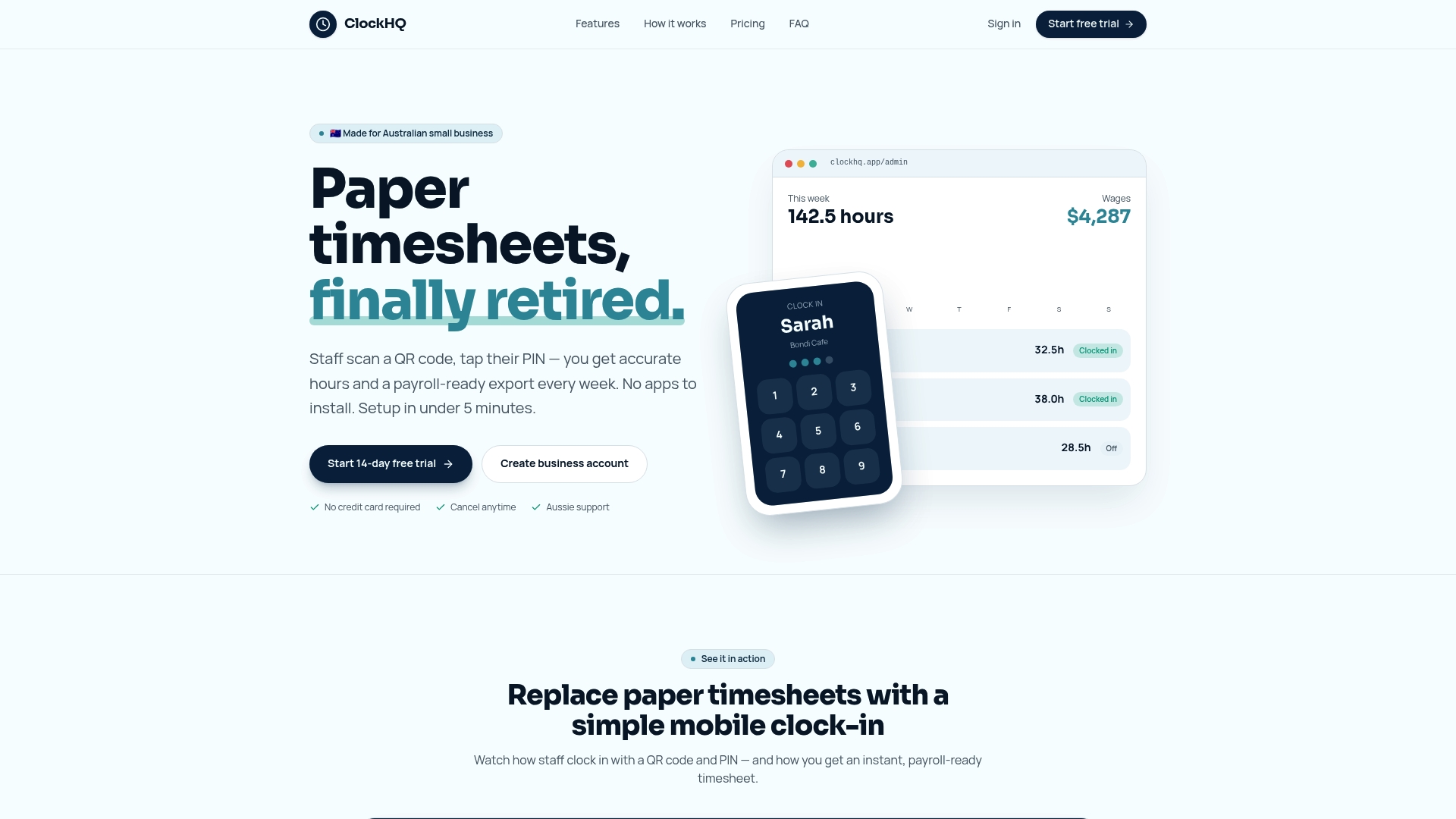
ClockHQ is a browser-based time-tracking service. Staff clock in and out with a workplace QR code and PIN; installing an app is not required. Managers can compare scheduled hours with actual clock records and review leave or early-finish requests. ClockHQ’s published materials describe timesheet summaries or exports for payroll preparation. ClockHQ requires an internet connection and does not capture or store staff photos. It does not scan paper timesheets, provide AI handwriting extraction, or sync offline records. Payroll preparation exports are separate from payroll processing; confirm the required import format with your payroll provider.
FAQ
What does it mean to digitize paper timesheets?
Digitizing paper timesheets means converting handwritten or printed time records into structured digital data using AI extraction, scanning, or mobile capture. The goal is payroll-ready data without manual re-entry.
Do field crews need to change how they work?
Some businesses keep paper capture and digitise records in the office; others adopt direct digital clock-ins. Choose and test the process that suits your team, then explain any changes.
How accurate is AI handwriting recognition for timesheets?
Accuracy varies by tool, handwriting and image quality. Test representative records and compare extracted fields with the original before using them for payroll preparation.
How much time does digital conversion actually save?
There is no verified universal saving. Measure collection, extraction, checking and correction time in a small pilot using your own forms before estimating a benefit.
Do I still need to keep the original paper timesheets?
Check the recordkeeping requirements that apply to the work before disposing of originals. Retention and acceptable formats depend on the jurisdiction, record type and contract; consult current official guidance.